Week 14 (Module 4 Field Activity)
Assignments
Choose a collaborator and 2+ content areas Set learning objectives. Develop and test the electronics / programming part of the lesson Integrate the electronics/programming activity into a lesson plan Develop the Assessment protocol for the lesson plan Develop the lesson plan using the SCOPES template Test your lesson plan to receive feedback. Answer the Reflection Questions. Post your lesson to the SCOPES website. Update your learning diary website
Process
- For this Field Activity, I partnered with Jadayne Smith, my coworker at Moonlighter FabLab, who is also going through Fab Academy right now. We had a Spring Camp during the Spring Break week, and both he and I decided to work on our final activities going around its topic of board games. The content areas, asides digital fabrication, I decided to go for was math (probability theory), design (both game design and artistic design) and electronics (with the use of board or microcontrollers). The board games being made should implement a bit of each.
- I went and created learning objectives that would be achieved if they were able to make a good, functioning board game with the previously mentioned elements. The following are the objectives:
- Students will be able to use probability to balance the outcomes of games or other projects.
- Students will understand how to use design concepts to make an aesthetically attractive game.
- Students will be capable of following game design principles to create fun and challenging experiences.
- Students will identify correctly the conductivity of different materials.
- Students will be able to use technology to enhance analog experiences.
- Students will be able to work with electrical components to create simple circuits that can be introduced to different kinds of projects.
- Students will be able to incorporate different digital fabrication techniques to create an integral and cohesive project.
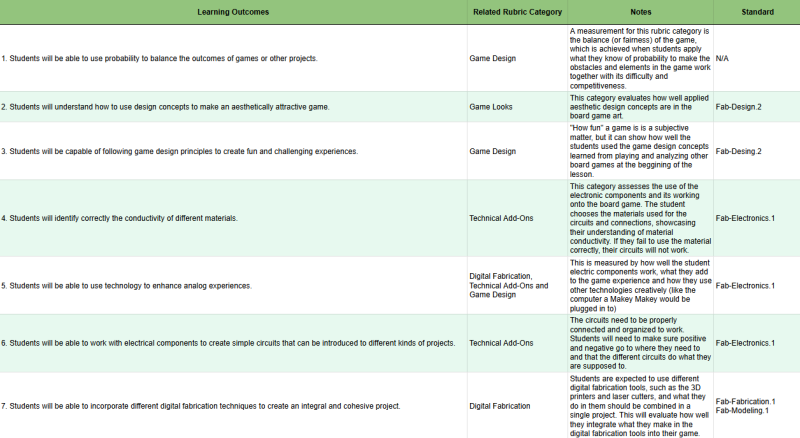
I tried to tie these objectives with the Fab-Electronics.1, Fab-Modeling.1, Fab-Fabrication.1 and Fab-Design.2 standards, which would cover most of the goals. Being a FabLab, our lessons normally fall into the Fab I Can standards, with maybe some extra learning goals added regarding other topics outside of specific standards.
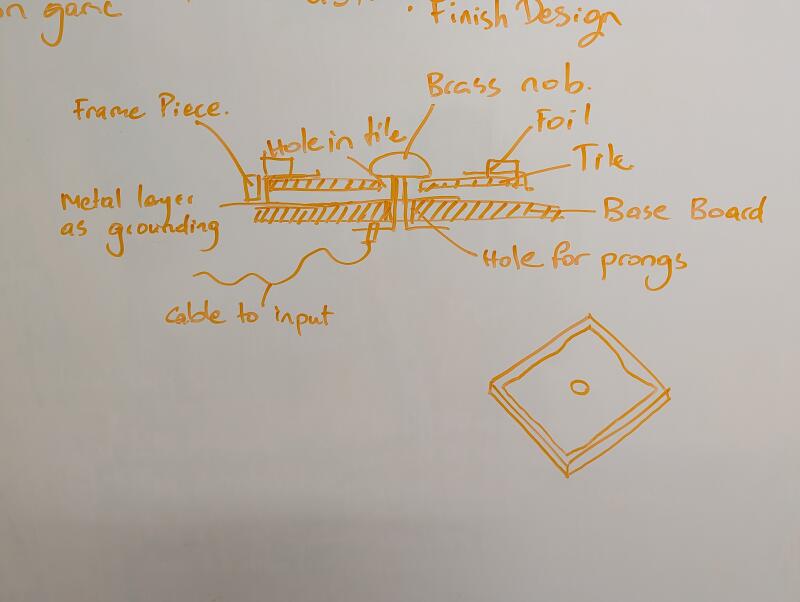
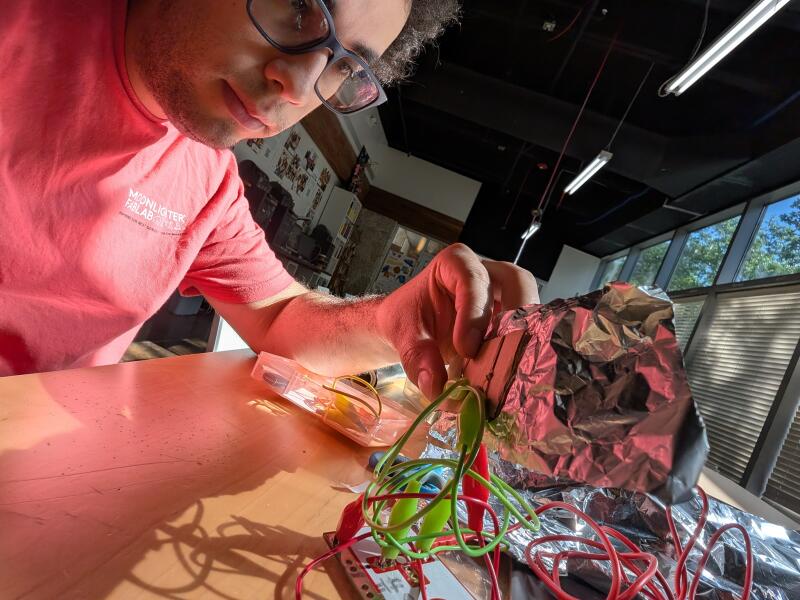
-For the integration of the electronics, we decided to have the students add interactable components with Makey Makeys or Microbits. For that we designed and I build a protoype of how a circuit could work with a Makey Makey for a modular board game. It used conductive materials on the tiles, board and game pieces to show an effect on the screen.
 Video
Video
-The board game should not only be functional, but also fair and fun, so I added a rubric for peer to peer assessment between the students, to give each other feedback about how their game is doing. I made sure it was simplified enough for the students to understand, but also that it covered the learning goals proposed. It is the following:
- Game Design
- The game is fun, balanced and understandable. I want to play more.
- The game is fun and understandable. It’s a good board game.
- The game is fun. Playing it was a good experience, rules could use some tweaking.
- The game is interesting. It was fun playing it once but needs polish for replayability.
- The game needs work. It’s hard to understand or could use some work to make it more fun.
- Game Looks
- Looks great! The art is cohesive and fits the board game theme.
- Looks good. It’s nice to look at.
- It’s fine. The aesthetic could use some more care.
- Needs work. The art needs to be connected better with the game itself and feel part of the project.
- Digital Fabrication
- Excellent Job. It incorporates many digital fabrication tools in a harmonious way. Uses just the right amount of tools to make it feel professional.
- Good Job. It uses different tools.
- Ok use. Some tools are used, but it could be too little or too many to make it fit with itself.
- Needs work. It needs to implement more digital fabrication tools.
- Technical Add-Ons
- Great use of electrical or computing devices. It marries amazingly with the game and makes it a great experience. The electronics work without hiccups.
- Good use. The use of electronics enhances the experience. It works reliably.
- Ok use. It is a fun add-on to the game. It works most of the time.
- Needs work. The add-on doesn’t really work or does not contribute to the game experience.
With this table, is easier to identify how the rubric and learning goals relate, as well as how the standards are met:
-
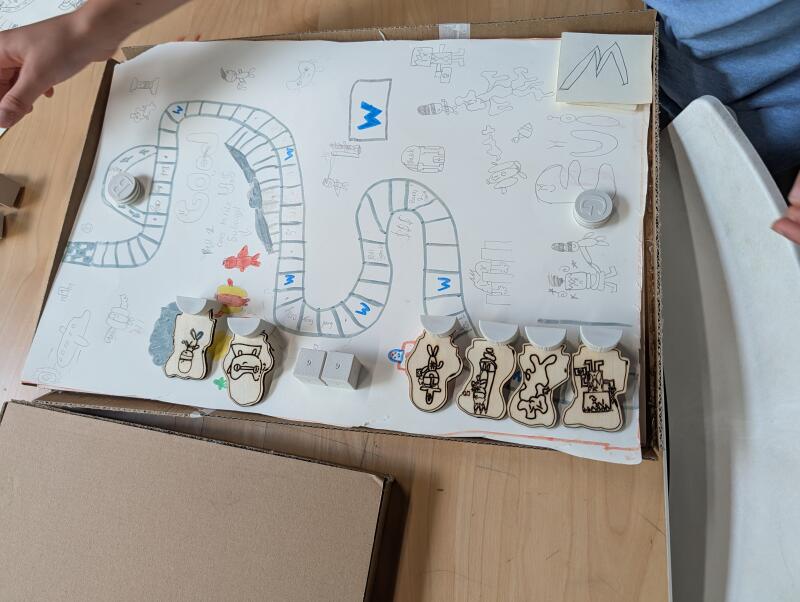
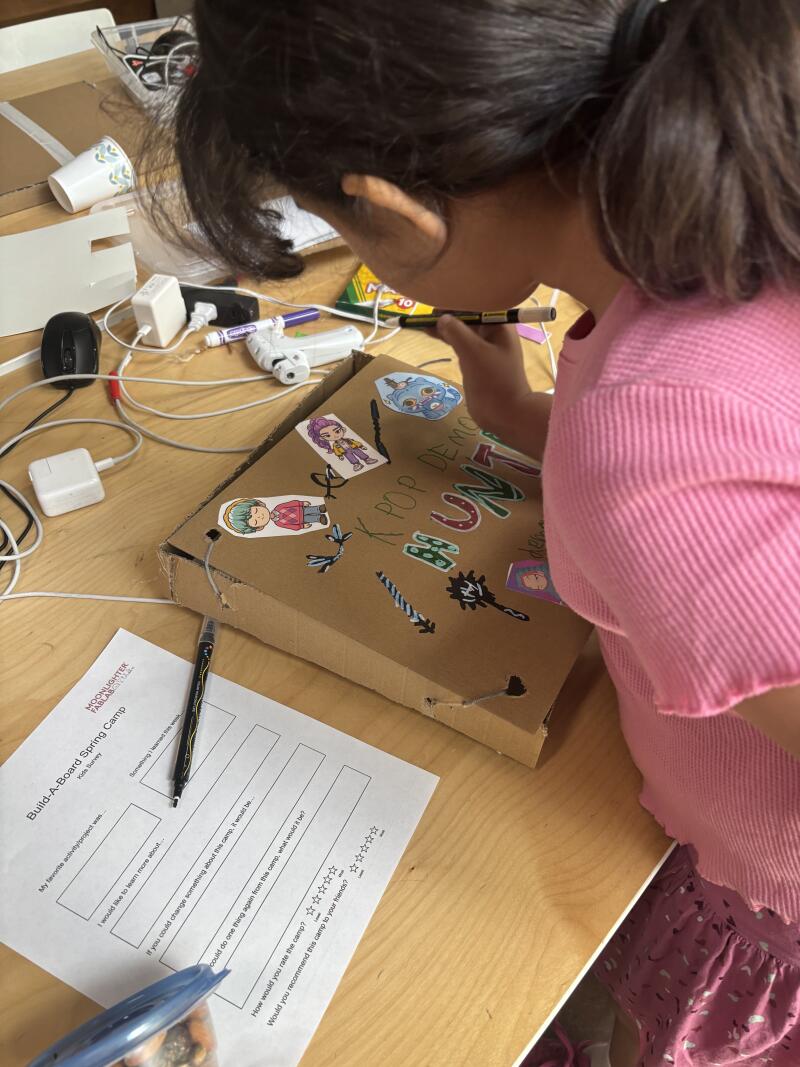
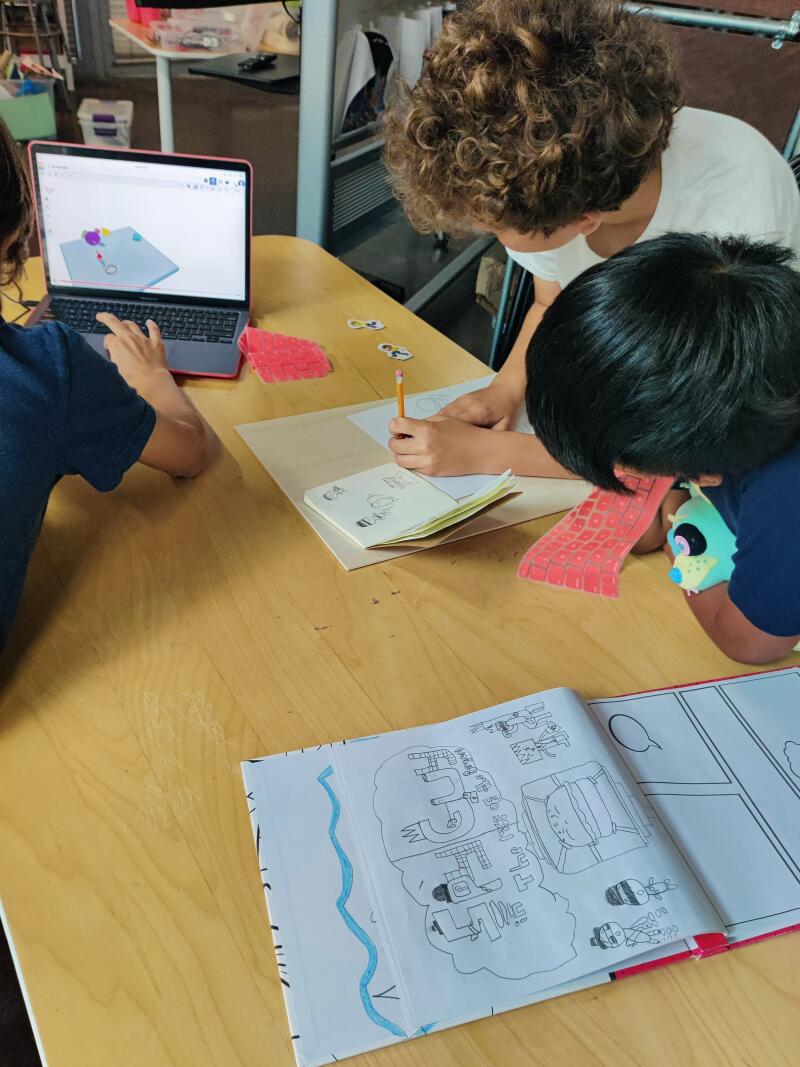
With that done, we tested the lesson plan on our Spring Camp. The students greatly enjoyed the activity! Most of our students were on the younger side and did not have previous experience with microcontrollers and many fabrication tools, so making a bigger emphasis in those aspects next time can give a better result in the application of those areas, but almost every student ended up with the game as they envisioned.
-
You can read the detailed instructions to the lesson plan here!
Reflection
-
The collaborator was Jadayne Smith, my coworker here at Moonlighter FabLab. He’s participating in Fab Academy and his final project idea is similar to this module, so we worked together in developing the idea and parameters for the project. He also ran our Spring Camp, which is where this lesson plan was implemented. It was extremely helpful to have another opinion and perspective on the project. It led to discussions and discoveries on how to execute the lesson plan that a single-minded planning would not have brought to light. I’m also of art background while he’s an architect, so his knowledge also helped quickly figure out what the best paths were in different scenarios. He implemented mostly how the structure of the board game could work with all the components it would need, while I did modifications to make the electrical components hidden to better control the aesthetic design. The way we structured the implementation of electronics into the board was a combined effort, while the execution of the lesson plan itself was mostly his. Most everything else was done together while talking a meeting exchanging ideas.
-
The students were very engaged in the lesson plan. They were excited, help each other and were eager to try different ways to achieve the goal of making a board game. Some decided to 3D print, others to laser cut so we have a good variety of fabrication tools being used. Their ambitions with the game didn’t go too high though, many not wanting use stronger materials and keeping their board made of paper or cardboard. Many students were also not able not implement electronics into their board games, as well as various parts of their game stayed in the prototype phase. This is due the fact that the students enrolled in our camp were of a younger age range, so their previous experience and skills in many areas were not as advanced as expected initially. They still did a fine job on their board game design, but besides basic introduction of electronics and fabrication tools, they mostly worked with craft materials. Still, we were able to introduce them to all the concepts necessary and let them self evaluate their skills to create a project they felt comfortable working on. Besides this, their games came out very good and fun! In the future, this is a lesson plan that I feel would be better applied with students with some previous background in digital fabrication, but other enhancements can be made using the feedback given by the students. Spending more time teaching and experiment with the electric components is going to be necessary. Also, because of time constraints, skipping the paper prototyping may be an option, and that way we can prevent the students of staying stuck in that stage and use more complex kinds of fabrication.
-
We work with design, digital fabrication and electronics very often. I’ve been wanting to create a lesson plan that was fun while also incorparating math, so I decided implement probability theory with the aforementioned disciplines, creating a mostly transdisciplinary lesson plan. It focuses on a problem (making a board game in this case) and implements multiple disciplines hollistically to get to a solution, so in theory it does fall into transdiciplinary. Still, the way it’s formulated resembles a more interdisciplinary lesson plan, since there’s a division of each discipline in each different step. Since we have a lab methodology of working with the students, these disciplines end up blending and evolving together with the students’ experiences creating a transdiciplinary lesson. An example of this is how the some students end up using the electronic components as part of the aesthetic instead of just as a part of the electronic circuit of the game. In the future, I’d like to find a way to make those disciplines intermingle better in the lesson plan instead to make a wholly transdisciplinary lesson plan in which the students are exposed to many disciplines in every step.
-
AI wasn’t written into our lesson, but it could be incorporated in many ways. We could use it for art concepts for the board game, helping with probability calculations, finding holes in the rules… It is a useful tool that can be implemented in this and many other of our lesson plans, and we regularly do, but it’s not too frequent that we have it as an actual plan of the curriculum itself. We are working on making more AI focused lesson plans in the future, since it’s become a tool that’s increasingly useful in fabrication.
-
I’ve realized that different lesson plans can be taken to different limits depending on the student group, but that they can still be dynamic enough in which there’s success in the lesson plan even if it isn’t followed to a T. Architectural concepts are some of the concepts that evade me most; I’m not the best at measurements and making sure things work during the concept stage before actually making them, and Jadayne’s help cleared up some of the techniques associated with this for me. We want to bring digital fabrication to the students, teachers, schools and homes of everyone we work with, since it is an integral part of the modern world we live in, and I feel understanding it helps understand how much of our world and its systems work.
Tools
- Microbits
- Laptops
- Laser cutters
- 3D printers
- Makey Makeys