Week 1
Assignments
- Task 1:Be familiar with the FLA online learning diary, edit and publish the content of the “About Me” page.
- Task 2: Produce a video of up to 3 minutes about me and the Maker Movement, and post the video link in the learning diary.
Process
-
Steps followed
-
Read the specific tasks via the link in the email.
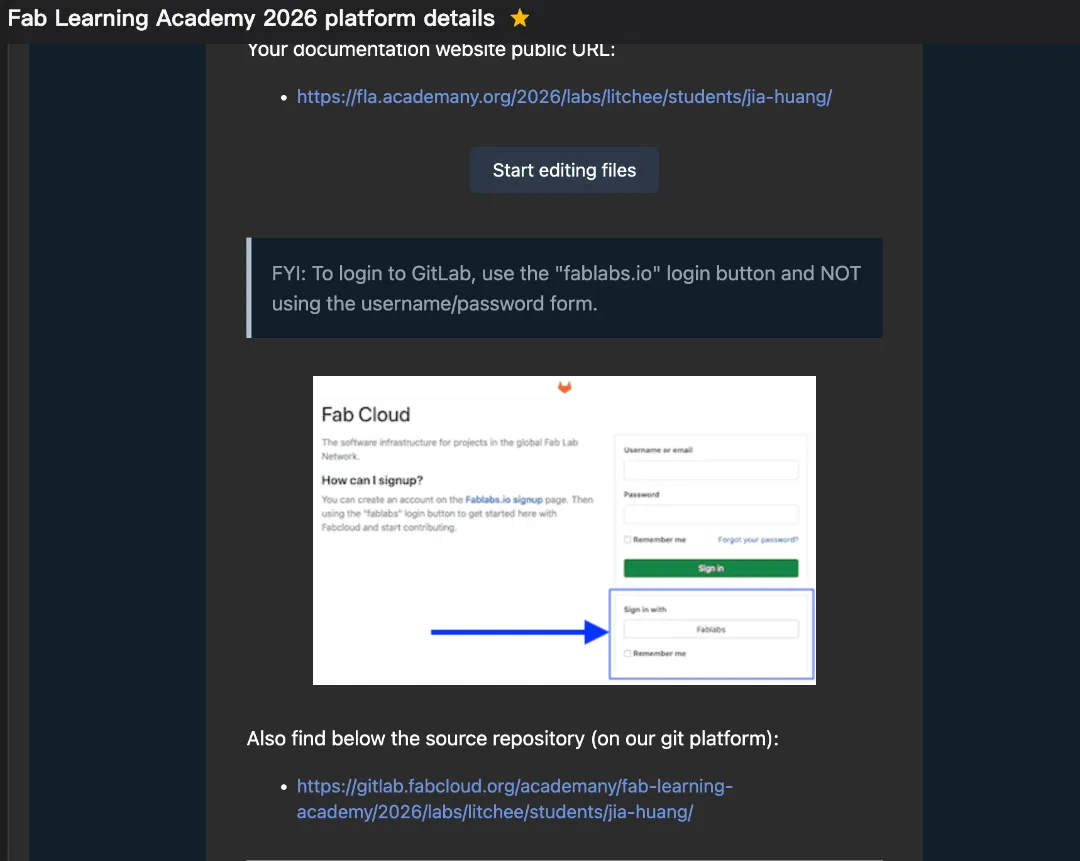
- Access the initialized personal log webpage using the link provided in the email.
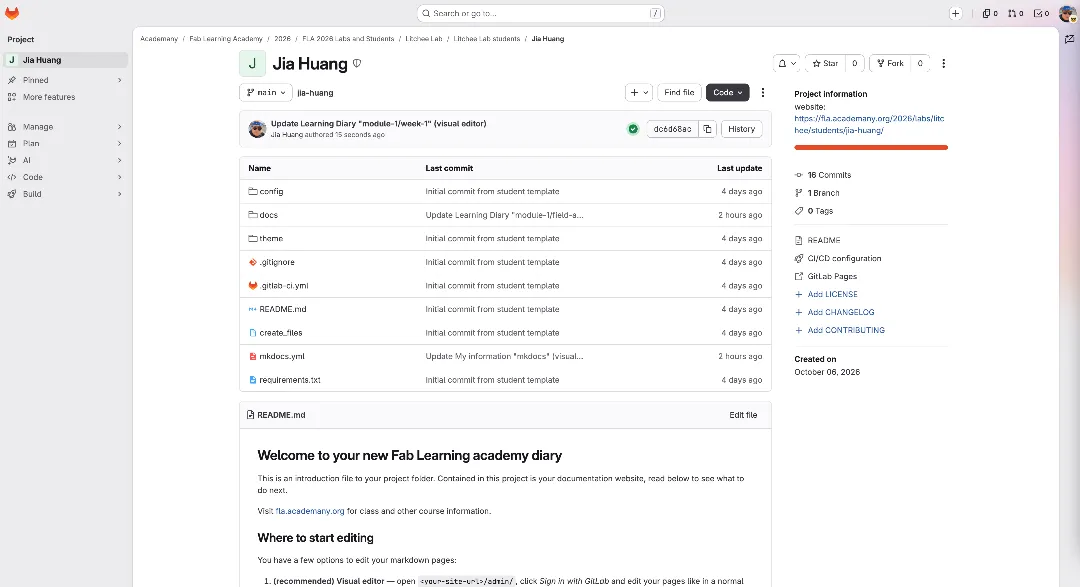
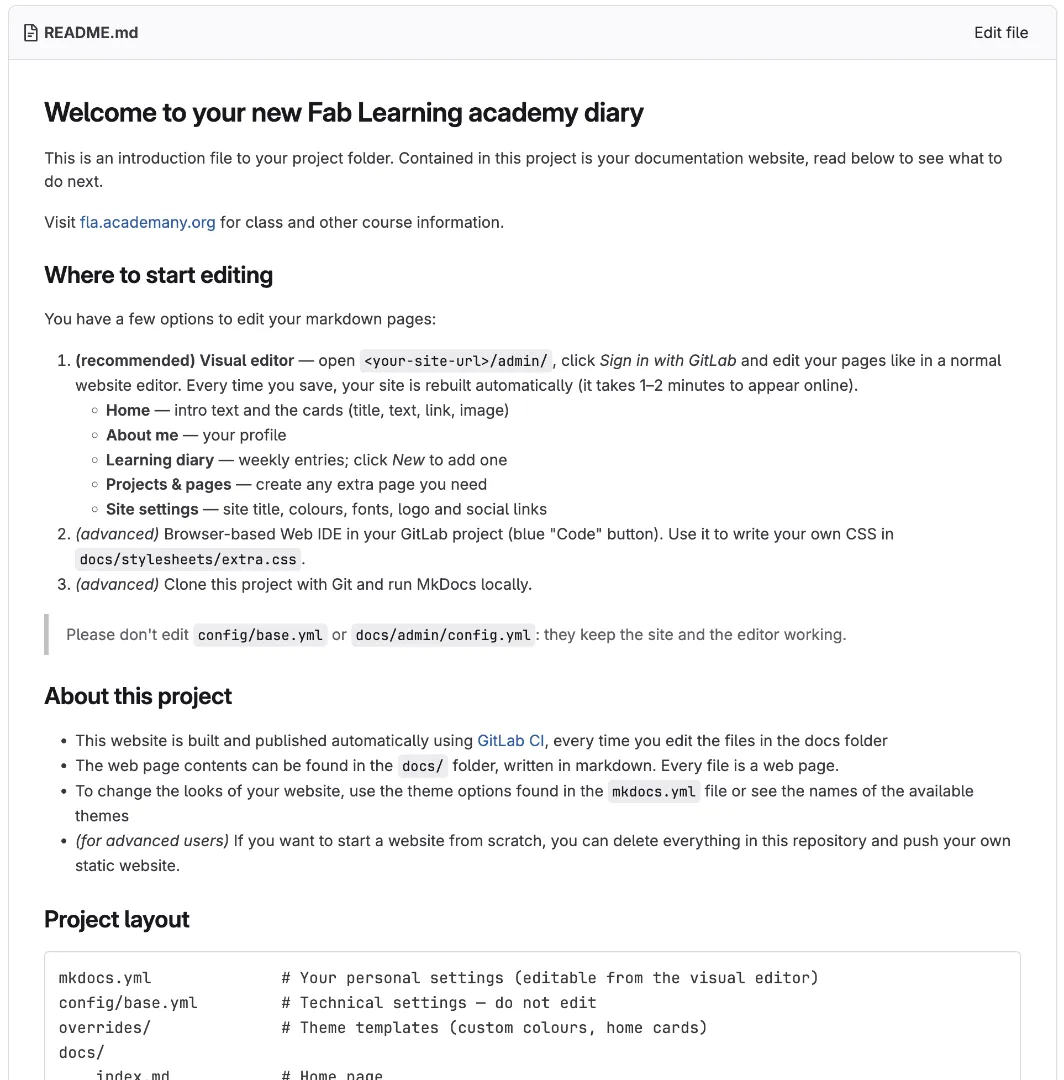
- Log in to Fab Cloud and navigate to the source repository page on GitLab, then read the three methods for modifying Markdown pages.
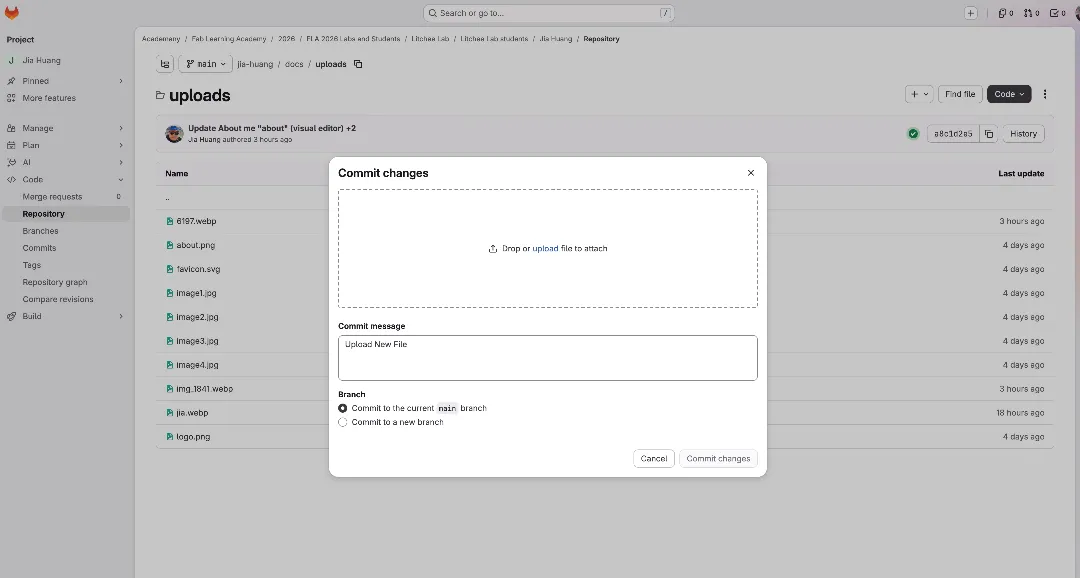
- It was my first attempt, so I was unfamiliar with the system. Since I could not log in to Sveltia CMS, I tried using the browser-based WebIDE within the GitLab project. I edited the MD file in the Docs folder, successfully revised the text content of “about me” and updated my personal information. However, I kept failing to upload photos despite repeated tests. I contacted the local mentor and found they encountered the same issue. After posting the problem in the WhatsApp group, a peer shared a new tutorial video. I found the correct method to upload photos after watching it.
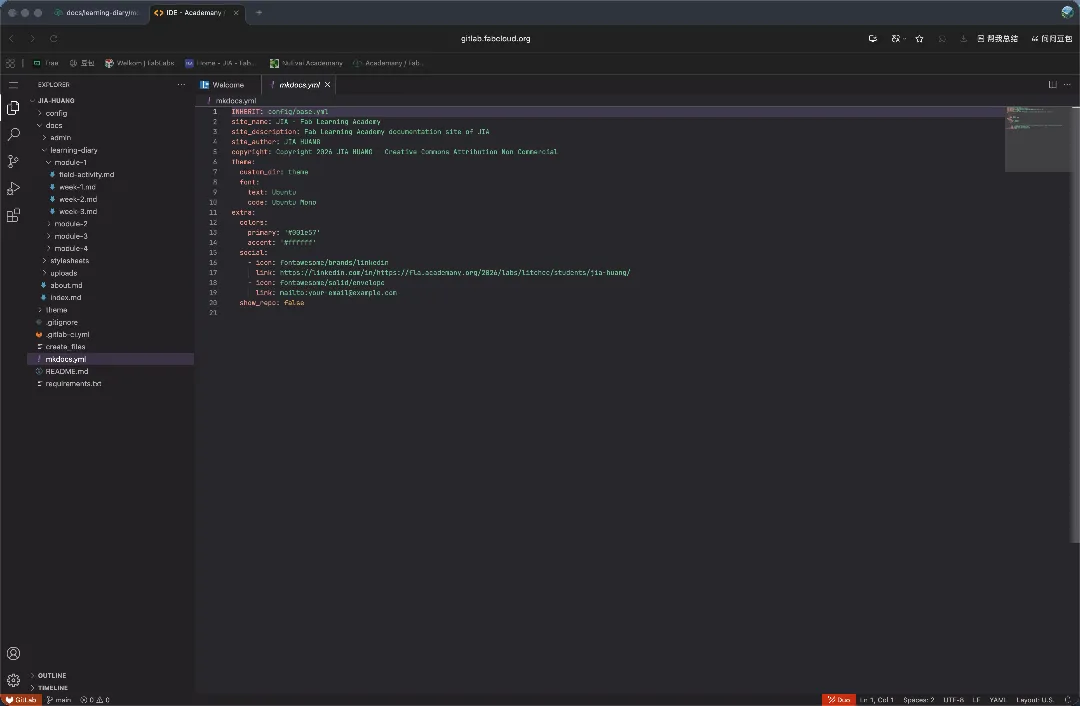
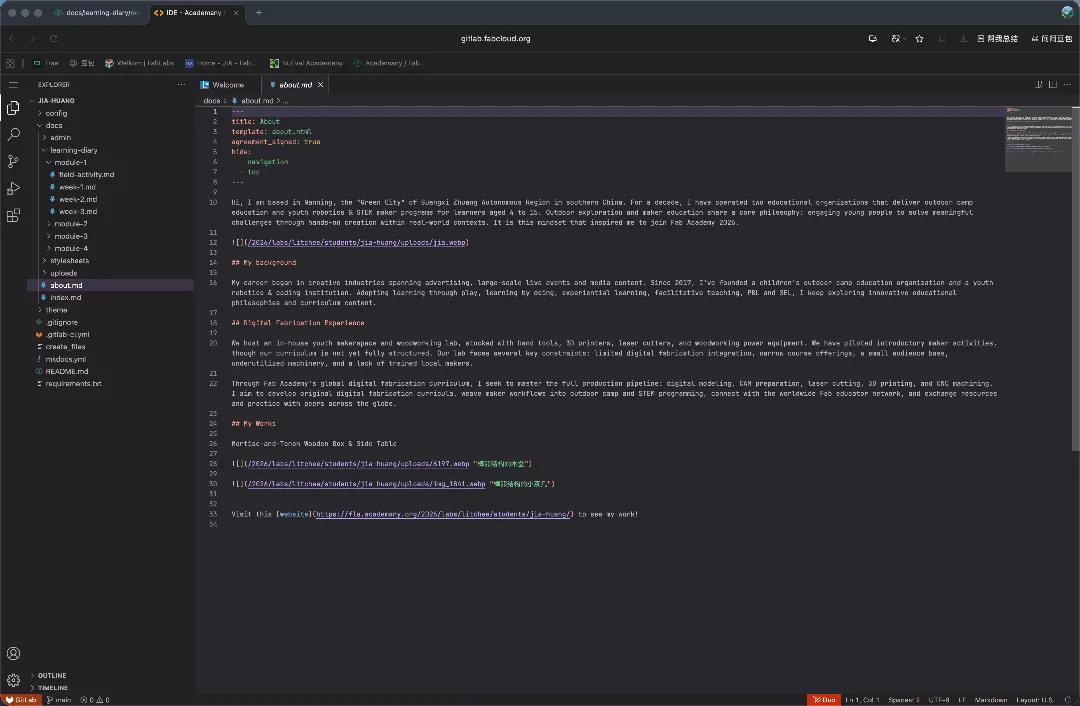 5.I was unable to access Sveltia CMS earlier because there was no VPN on my computer. After installing the VPN and logging in successfully, everything became much smoother. The editing interface corresponds to the webpage preview. Inserting and uploading images, as well as editing text, became simple and intuitive, making it much easier for me to get started.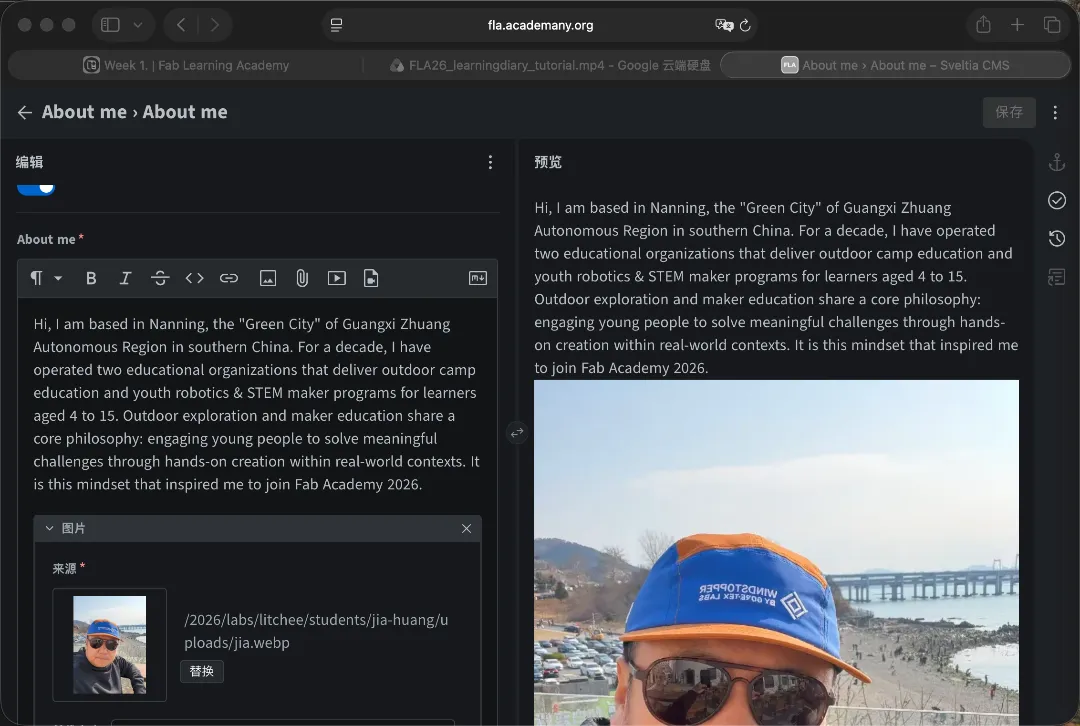
-
Challenges and solutions
-
Language challenges brought by the fully English interface Solution: I use web translation to understand the content and express my ideas in English with the help of Doubao AI, so I can finish assignments smoothly.
- Unfamiliarity with web code editing Solution: I familiarized myself with the backend by trying input and modifications in Web IDE. With consultation and support, I resolved the photo upload issue. I also found FLA Sveltia CMS, the most intuitive and easiest tool for editing and publishing, which improved the efficiency of keeping my learning log.
Reflection
-
Key learnings
-
Despite limited language proficiency, I stepped out of my linguistic comfort zone and faced significant challenges with the help of AI and software tools.
- I mastered the FLA Sveltia CMS web editing tool, which greatly improved my work efficiency.
- I became familiar with the workflow for sharing project learning logs and built my own learning diary homepage.
- I gained a deeper understanding and hands-on experience of FLA’s philosophy and learning methodology.
- I developed a clearer and more objective perspective on my journey in maker education.
-
Seek support from the FLA learning network.
-
How it applies to your teaching / context
- I will embrace FLA’s philosophy of digital fabrication — learning by making. I will bring creative ideas to life with technologies and tools, develop more innovative teaching aids and learning-by-doing outdoor STEAM courses for outdoor camp education, document them in my learning log, and share and exchange ideas with makers worldwide.
- Next steps or improvements
- I will strengthen my language learning to improve my English communication skills and leverage the FLA learning network to tackle challenges I encounter in future studies.
Tools
- Tools or software used
- Translation tool: Doubao AI; Screenshot tool: WeChat; Photo processing: Meitu Xiuxiu; Video editing tool: Jianying Lite; Web editing: Sveltia CMS
- References or tutorials followed
- FLA official assignment instruction email and documentation for the visual editor