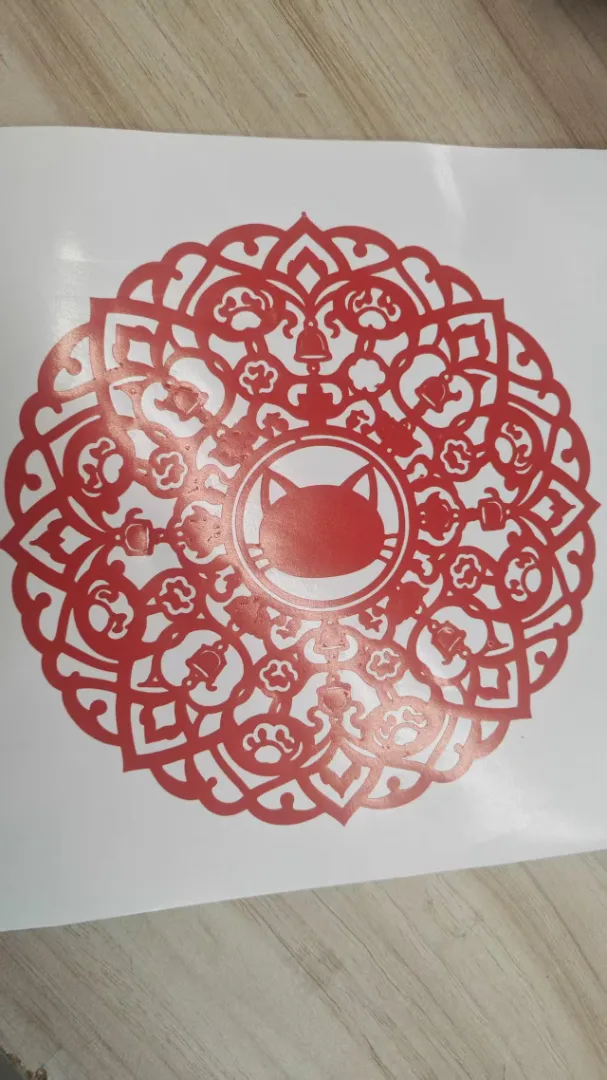
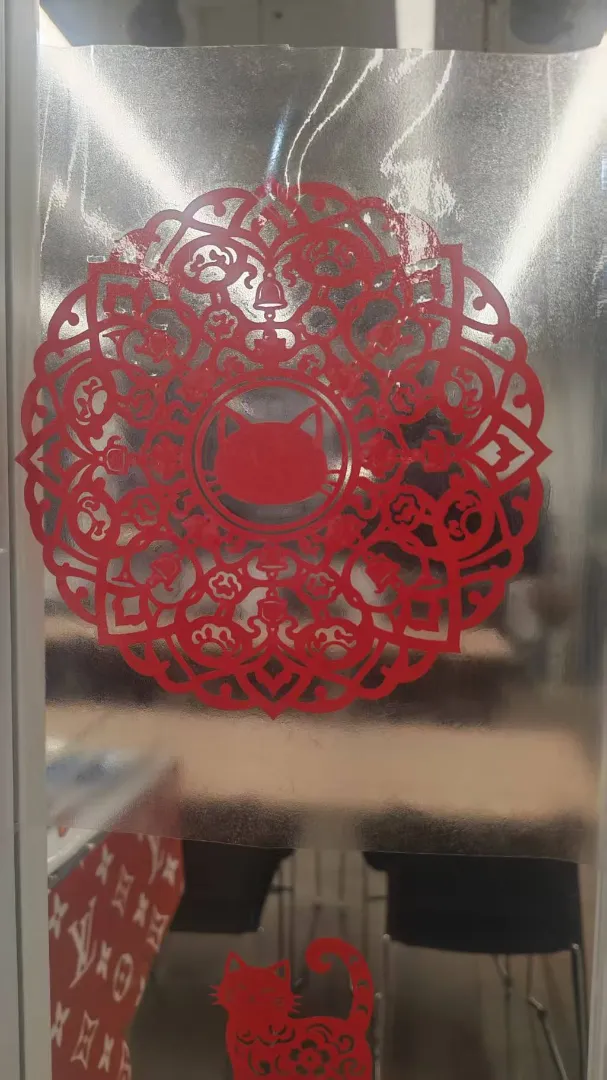
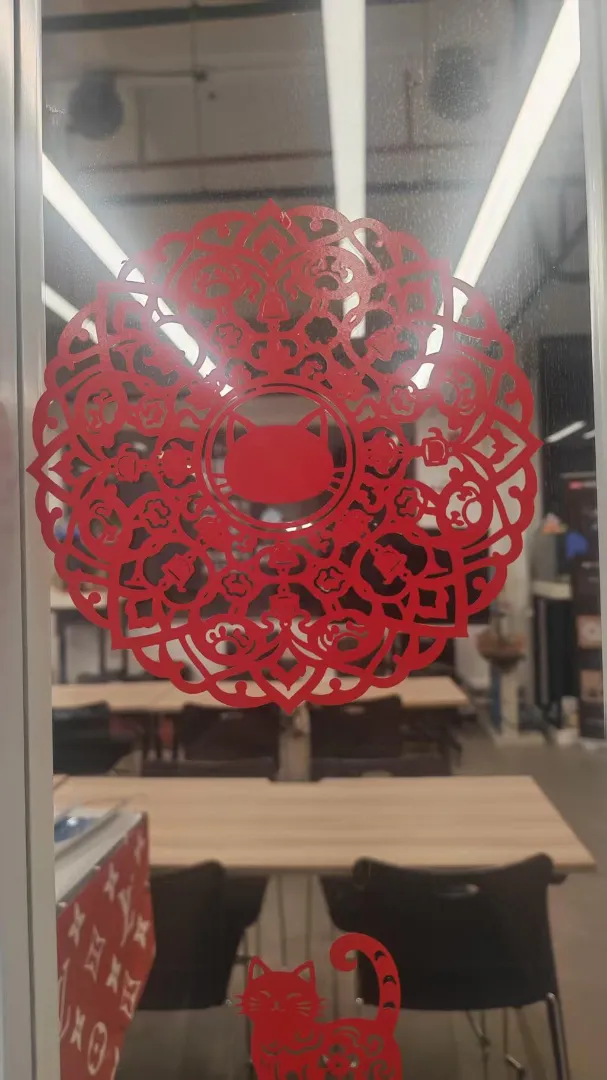
Field Activity
I’ve found that AI-generated images can’t be directly used for a vinyl cutter . The main reason is that they produce isolated dots (islands) — disconnected pieces that fall out when cut. So I need to add physical constraints to the prompt in order to generate images that are suitable for cutting.
First, I’d like to ask Doubao the following question: “I now want to use AI to generate an SVG file that is suitable for a cutting plotter, drawing on the design principles of paper-cutting . How should I provide constraint words in the prompt so that the generated image works for the plotter — rather than ending up with all the hollowed-out parts gone after cutting?”
Paper-cut style (intaglio / relief carving). The overall design must meet the requirements of cutting-machine (vinyl/plotter) cutting:
- All graphic elements must be connected by bridges to form a single, continuous shape; no isolated, disconnected small pieces are allowed.
- The width of all lines, bridges, and borders must be no less than 3 mm.
- The spacing between cut-out (hollowed-out) areas — i.e., the gap between two lines — must be no less than 2 mm, so the blade can fit through.
- Internal decorations must stay connected to the main body. Prioritize keeping “bridge” structures; when in doubt, simplify rather than making fine, dense cut-outs.
- Remove all details, grains, and specks smaller than 5 mm to prevent them from falling off during cutting.
- Use a composition of bold outlines + a few large cut-outs, suitable for cutting-machine cutting; avoid complex, high-density patterns.
Working from these constraints, I began creating cutting-machine-friendly patterns. My process is to design the artwork first, then convert it to SVG. Here is my first draft — the prompt and the design.
This is my 1st version graphic and prompt”Help me draw a cat-themed mandala that meets the above requirements.”
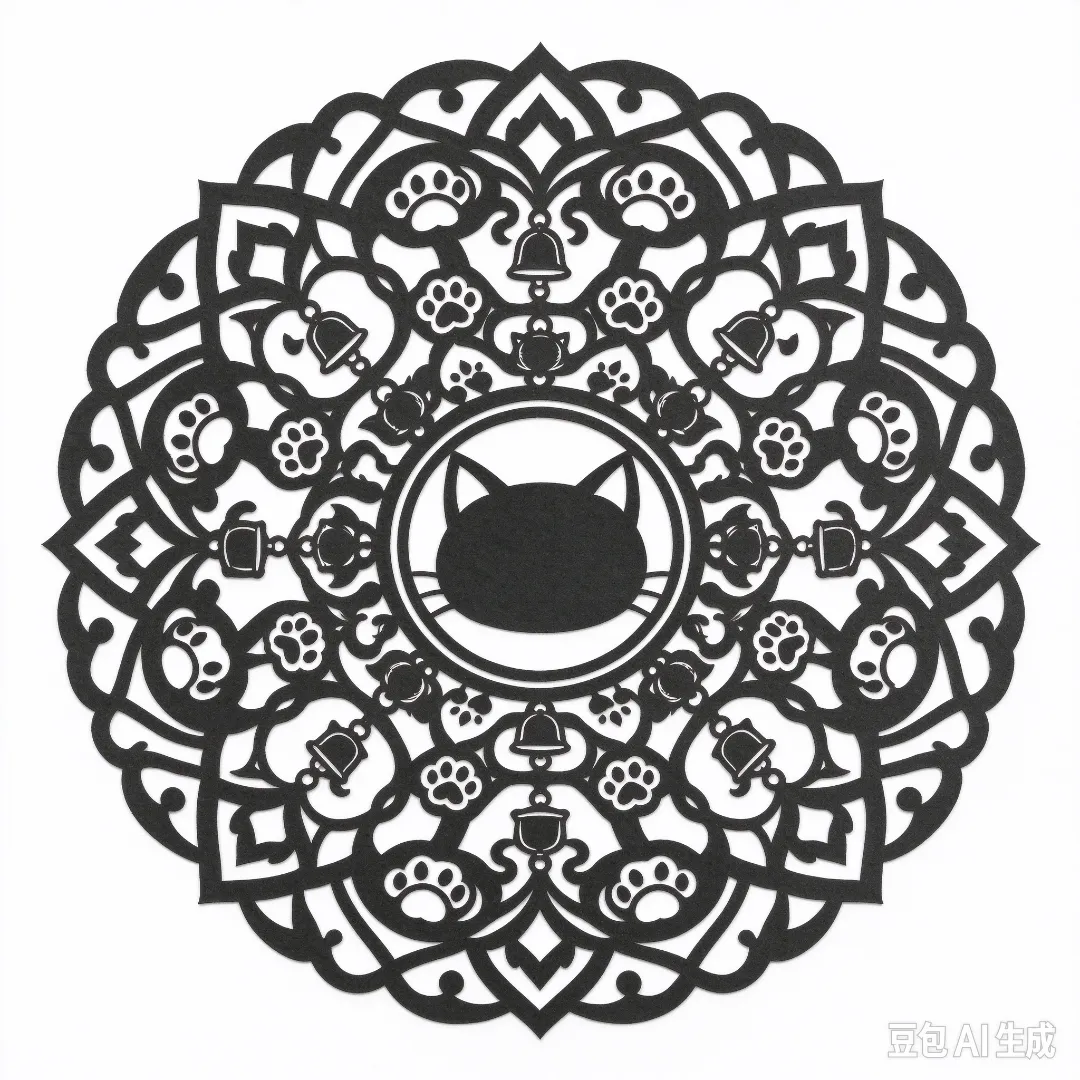
But this was clearly not right — some details formed isolated islands that couldn’t stay connected. So I searched online for paper-cutting reference images and let the AI study them. After comparing, I regenerated the artwork.
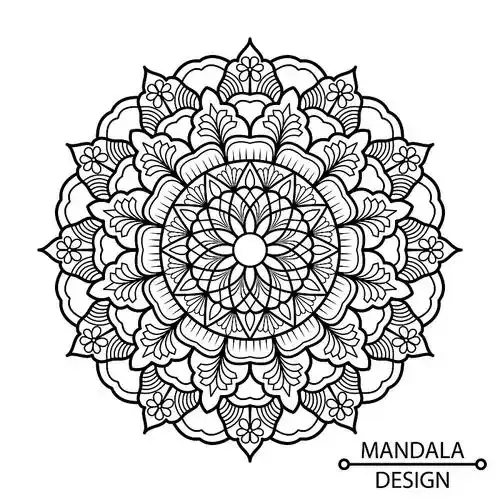
The AI learned quite well — the new output looks pretty suitable for a cutting machine at first glance.
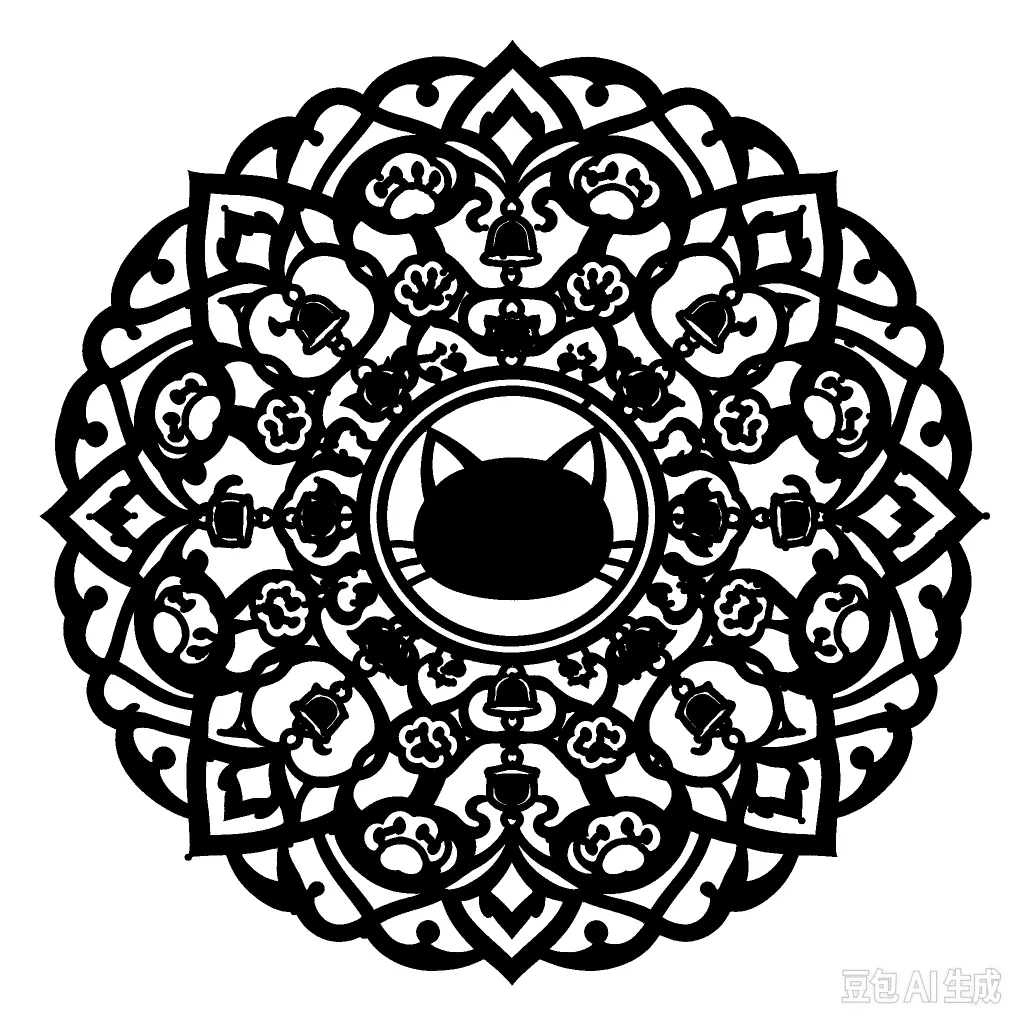
Next, I asked the AI to convert this PNG into SVG format, and some problems I never expected came up along the way.The outline is full of obvious zigzag steps — too rough for the cutting machine to cut.
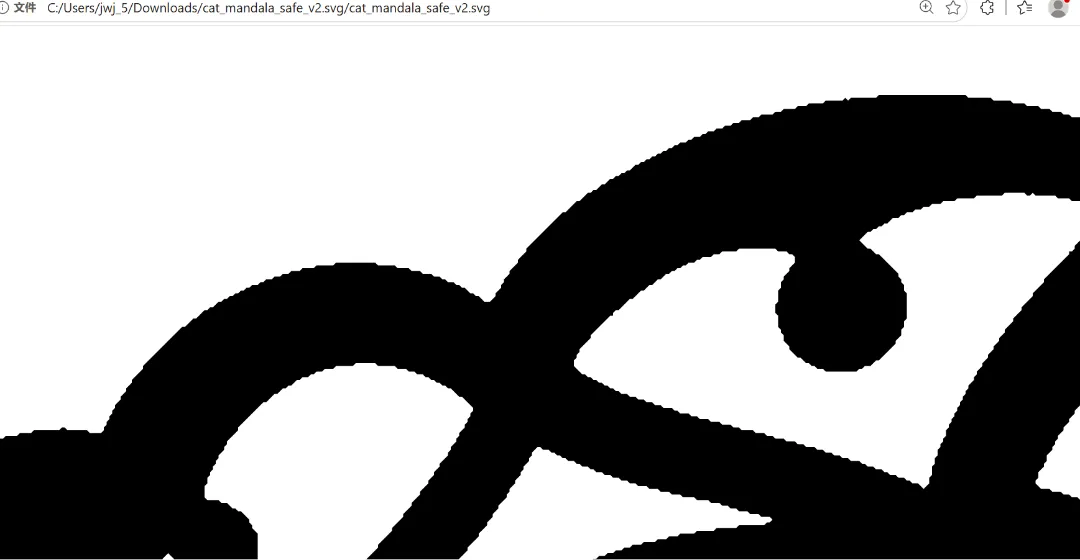
I wrote a Python script with AI in the Trae IDE to clean up the jagged edges in the SVG.
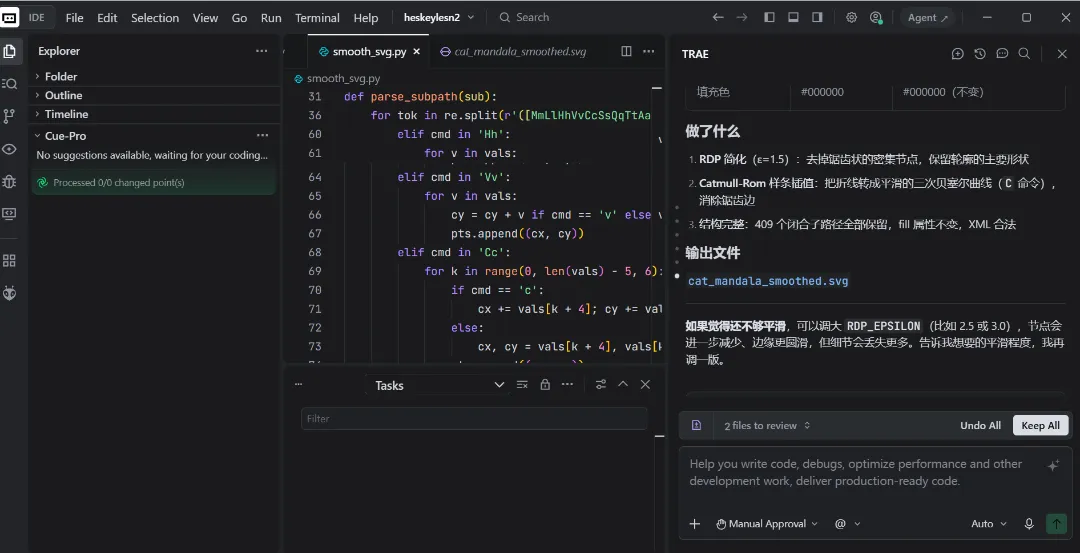
Looking at the outline again now, it’s a lot smoother.

This is an experimental piece. I wanted to try a simple window lattice (window paper-cut), using the traditional Chinese window-frame structure but restyled into something today’s young people like.
I finally cut it out on the vinyl cutter, and learned a lot about vector files in the process.