Field Activity 4
Binary Quiz Game
Collaborator -
Local Node Instructor - Seh Yong
Content areas
Secondary One Mathematics - Binary and Decimal Conversion Computer Coding - Coding in Makecode
Learning objectives
- Students would be able to engaging a pair challenge quiz with microbits to practice their skills learnt and test each other during the application part of the mathematics lesson on Conversion of Binary to Decimal and versa vice.
- Student to apply their coding skills to create similar pair challenge quiz to extend their learning of binary concepts to other bases such as Base 5, Base 6 and Base 12. i.e. how to convert the decimal to numbers of any of such bases of their choice. This is the optional challenge for high ability learners. The submission work will be shared with students for them to explore and play among themselves. Differentiated Instruction by offering optional task and exploration to any student who would like to take it up and give them opportunity to showcase and share their work to their peers.
Process
Binary Game in MakeCode
Instruction for the Binary Game
The Input (Micro:bit 1): The first student taps Button A (0) or Button B (1). After 5 taps, the micro:bit will start scrolling the sequence they entered (e.g., 01011).
The Transmission: Once the first student is ready, they press A and B together. This sends the decimal calculation (e.g., 11) through the air.
The Challenge (Micro:bit 2): The second student’s micro:bit will suddenly start scrolling the decimal number. They must then mentally convert it back to binary and tell their partner.
Verification: Student 1 checks if the answer matches the binary code still scrolling on their screen.
Reset: Both students press A and B to clear their screens and start a new round.
Note: Pair are to stand within 10-20 meters of each other for the radio signal to stay strong!
Code
How the code is generated, modified and improved.
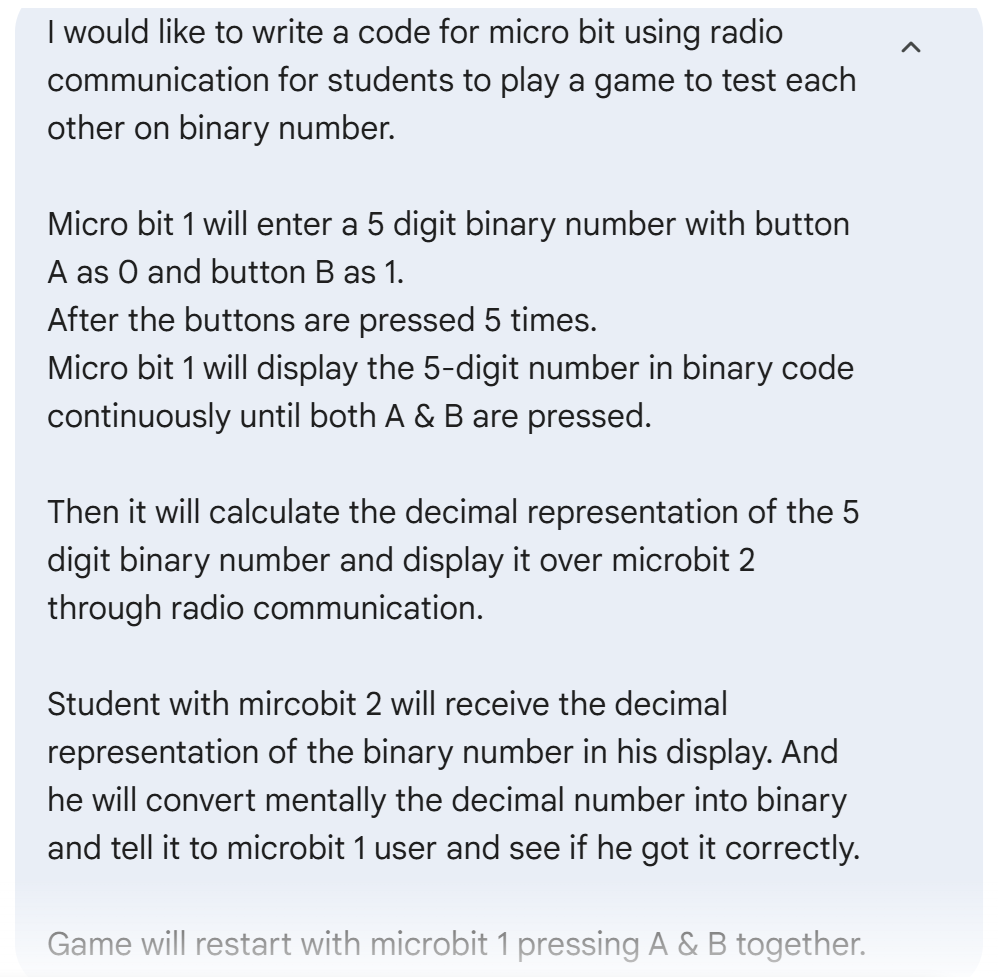
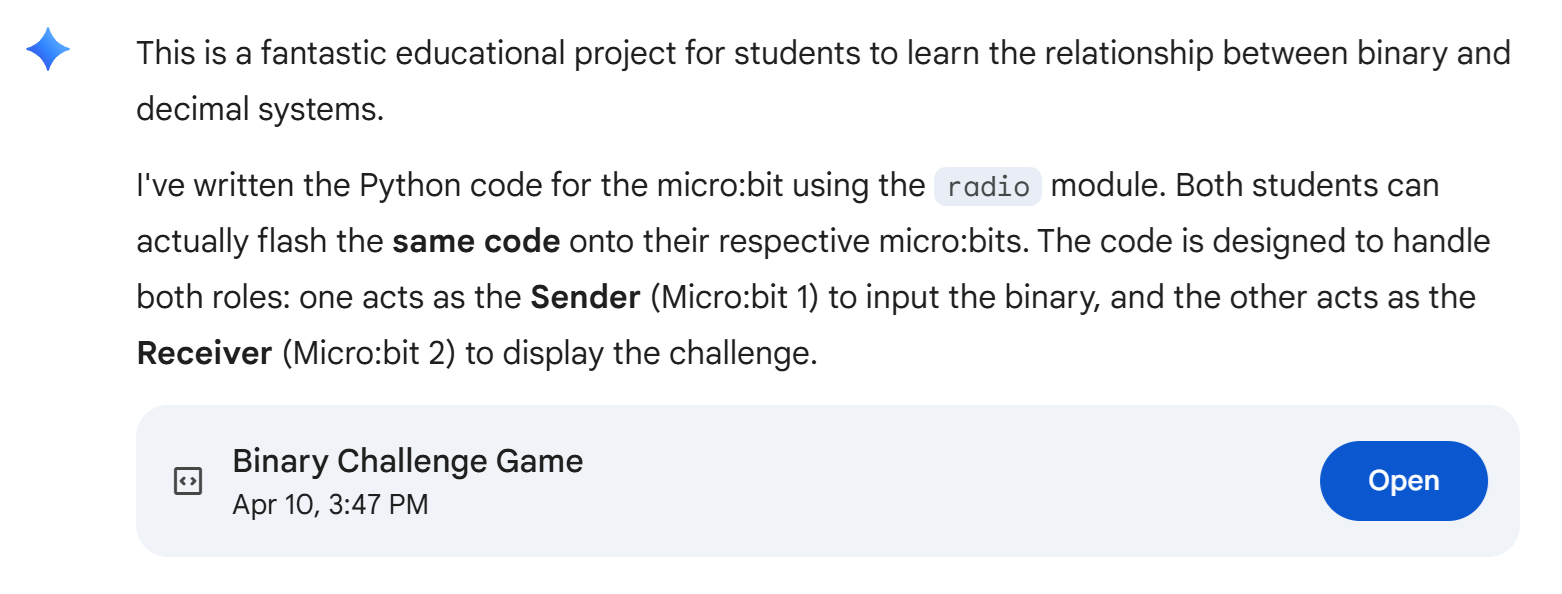
Link to Code: https://colab.research.google.com/drive/1EDz1vuNUbrxrfmEY4o3yXnZhAO8oNqBi
A Pair in the Binary Game - Video Demo
Reflection
Collaboration: Seh Yong shared with me the concept of between devices communication. It prompted me to think of a oneline quiz where a student will create a question for his partner and then reversed their roles. The mathemematical concept of Binary came into my mind. I shared the idea with Seh Yong. He helped me to brainstorm a few possibilities together and I moved onto vibe coding this application. I revised and improved on the codes to make it work well. Seh Yong helped me to test out the app and be my first partner to play the game the quiz as well. Without his guidance and improves, the idea for this lesson plan will not be created.
Instructional Challenges: The availability of the microbits for the whole class to engage in the pair quiz is one of the class challenge. The second challenge is that online quiz for binary is easily available and the need to bring in microbit to the lesson may not be fully understand by the students.
Although I have yet to bring microbit for mathematics class teaching, it can still be arranged. I can approach the information communication teaching and work with him with regards to the execution of this lesson and make a multidisciplary project.
By bringing in microbits to mathematics lessons, students would be able to see connection and application of computing in interactive hardware to mathematical learning. By offering the optional task, this allows students to engage on futher exploration based on their personal agency and passion. This hands-on and interactive use of microbit makes the practice of binary conversion highly engaging for students.
This falls in the domain of multidisciplinary. As coding skills is taught by information communication teachers and binary is taught by mathematics teachers in separate lesson. The optional task of creating code for the programme to pair test each other on other bases would be an extension activity that allows students who are interested to move on to interdisciplinary activity. The respective teachers will serve as facilators and coach in such a cases.
Assessment Rubrics
| Criteria | Exploring (Developing) | Achieving (Proficient) | Exceeding (Advanced) |
|---|---|---|---|
| Mathematical Logic | Basic conversion attempt; may have errors or only work for small numbers. | Correctly implements math for a new base (e.g., Base 16 or 8). Logic is sound. | Robust logic; handles complex conversions and “edge cases” perfectly. |
| Algorithm & Coding | Minor changes to the original binary code labels only. | Code is restructured for the new base with clearly named variables. | Uses advanced structures like Loops or Lists to handle remainders efficiently. |
| User Interface (UI) | Result is displayed, but may be difficult for a partner to read or navigate | Uses the LED matrix effectively to show clear, scrolling, or sequenced results. | Highly interactive; uses buttons or sensors to input and toggle between bases. |
| Peer Interaction | Functions as a test tool, but instructions or feedback are unclear. | Easy for a peer to use; provides clear “Correct” or “Incorrect” feedback. | Acts as a “Learning Assistant” by showing step-by-step logic if the user fails. |
Platform
- Makecode
Tools
- Microbits
SCOPES
Click this link below to find out more! Scopes Lesson