M4 Week 1
Assignments
Assignment Use one development board (arduino, microbit …) and use it to sense something in your class (noise / light / movement) and produce some kind of response (audio, light, movement)
In your documentation, describe briefly your project; name the board you are using, as well as the sensor and actuator; Explain what you are measuring and how you are using the actuators; if you are using external components, draw a simple diagram on how they are connected and finally provide your code (or link to your code). Include several pictures of your project. If possible you can include a video.
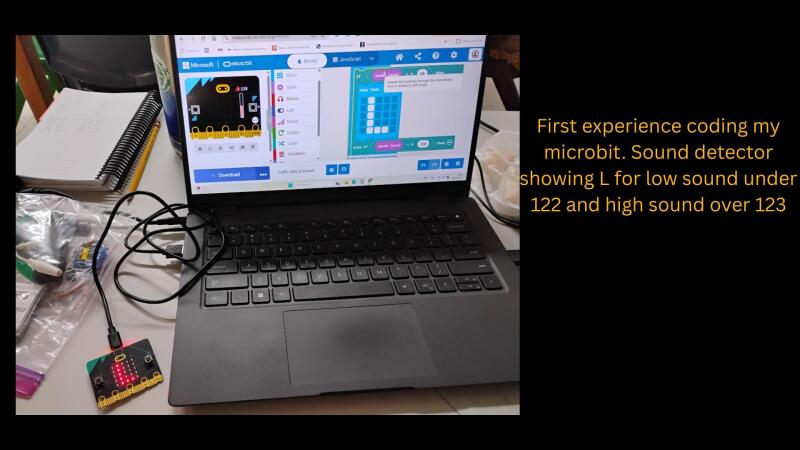
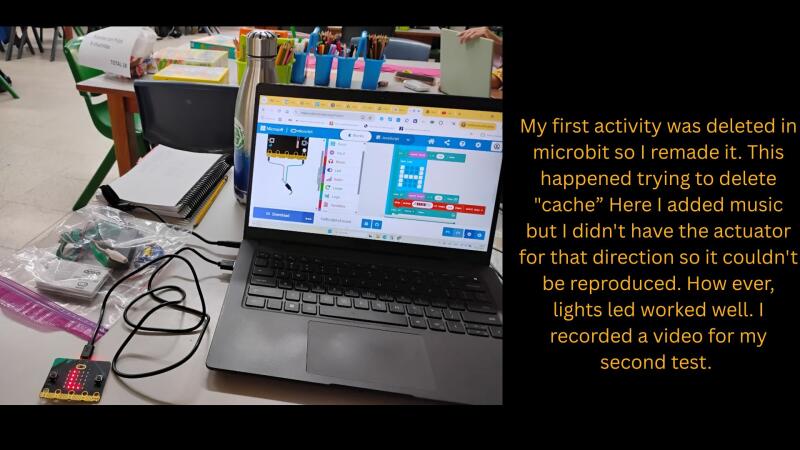
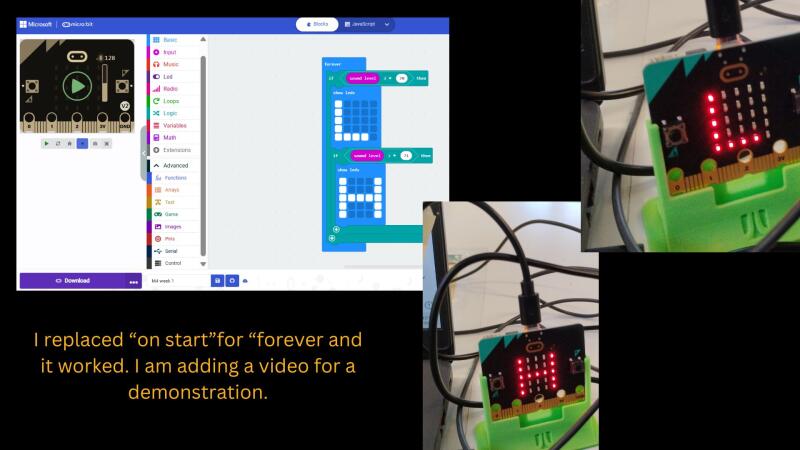
This project marked my first experience using micro:bits, beginning with a guided introduction by Ericka. We initially tested a basic program to display an LED heart on the screen. Building on that foundation, I developed a custom sound detector, which later served as the inspiration for my “Field Activity 4” rainstick project. For this design, I programmed the micro:bit to display an “L” for low sound levels and an “H” for high levels, using a parameter of </=70 >71. Although I lost my initial progress on the MakeCode website after clearing my cache to integrate with GitLab, recreating the work allowed me to better document the process with photos and video. Now, working with the micro:bit v2, I have a clear understanding of sensors and actuators: the microcontroller receives environmental sound data and decodes it into a visual light output.
In addition, please, answer following reflection questions:
Did you bring several disciplines together in your own teaching? Do you collaborate with teachers in other disciplines? What are the opportunities and challenges.
As a STEAM educator, I collaborate with teachers across various grade levels and subjects to integrate standards into cohesive learning experiences. A prime example is the rainstick project, which began as a multidisciplinary collaboration with first-grade English teachers during their unit on light and sound. While the logistics—such as coordinating planning time, emails, and project windows—can be challenging, the enriched experience for the students makes it worthwhile. My next goal is to evolve this initiative from a multidisciplinary project into a truly transdisciplinary one, where subject boundaries are fully integrated through a singular, real-world inquiry.
How do you envision a makerspace in your school? How does it look like? If you have one already, how would you modify it.
For the past two years, I have been dedicated to evolving our STEAM space into a fully realized Makerspace. I have presented a detailed proposal and long-term strategic plans to school leadership, and while the transition is moving at a measured pace, I am confident in this incremental progress. Our school draws significant inspiration from the Interamericano Fab Lab, which has shown remarkable growth since its first steps. My proposal outlines a comprehensive vision that includes advanced fabrication tools, a flexible curriculum, specialized teacher training, and a redesigned environment to serve as a platform for futuristic, hands-on learning.
**After the definiton of computational thinking? Are you somehow using computational thinking in your teaching? How? Do you think you can take advantage of computational thinking? How? **
I used to be afraid of the term “computational thinking,” but I’ve realized I actually practice it every day by teaching my students how to navigate complex processes. Learning how to apply these concepts digitally has been a huge confidence booster. I’m now comfortable with micro:bits and learning the ropes of Arduino. Since I’ve got the basics down, I’m excited to finally dive into the deep end and see what else I can create! I see it as an opportunity to continue integrating and preparing more learning experiences that go to a different level of knowledge and practice.
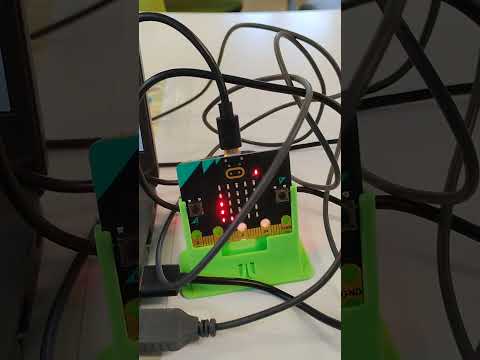
Video showing how it works
Tasks in the Fab Lab Have a look to any of the basic physical computing programming from Technical Guides and tutoring sessions With the help of your instructor set up development environment and run a Hello World in the chosen platform Explore with the instructor different options for sensing (receive data) and actuating (produce an effect in the environment)