Week 10
Assignments
- [ ] Task 1: [Field Acitivty in collaboration]
Process
- Steps followed
- For this field activity I needed to colaborate with another teacher so that was the first step to take. I tried asking other teachers from my school to see if they had any plans to work in the FabLab for any activity. As I was talking to some of them, their schedule was a little difficult to pull together with mine. So I decided to work with Pamela Gonzalez, who is part of the FabLab team from Interamericano.
- After we agreed on working together, we started to brainstorm some ideas of how we could integrate the FabLab, Technology (which is my class) and Math or science. I usually work with Elementary students and we thoght it would be easier if we take the 5th grade students. They usually understand more abstract concepts and are able to build a few more things.
- Once we had the general idea of what we wanted to work on, we talked with the teacher sin charge of Math for 5th grade and they agreed. We selected the students based on their performance in both Technolgoy, Math and their behaviour during class. This helped us be fair in our selection.
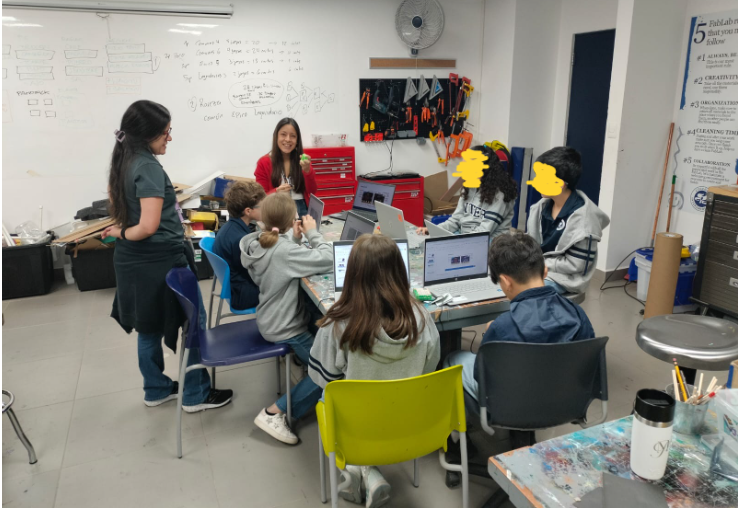
- After getting our group of students we came up with a plan of different days to work on the project. We used the morning times, which are usually used to do some morning work or catch up on different topics. We brought the students to the FabLab and gave them different instructions on how the lab works and what different things would they be able to see and use there. They were very excited about starting to use everything they could see.
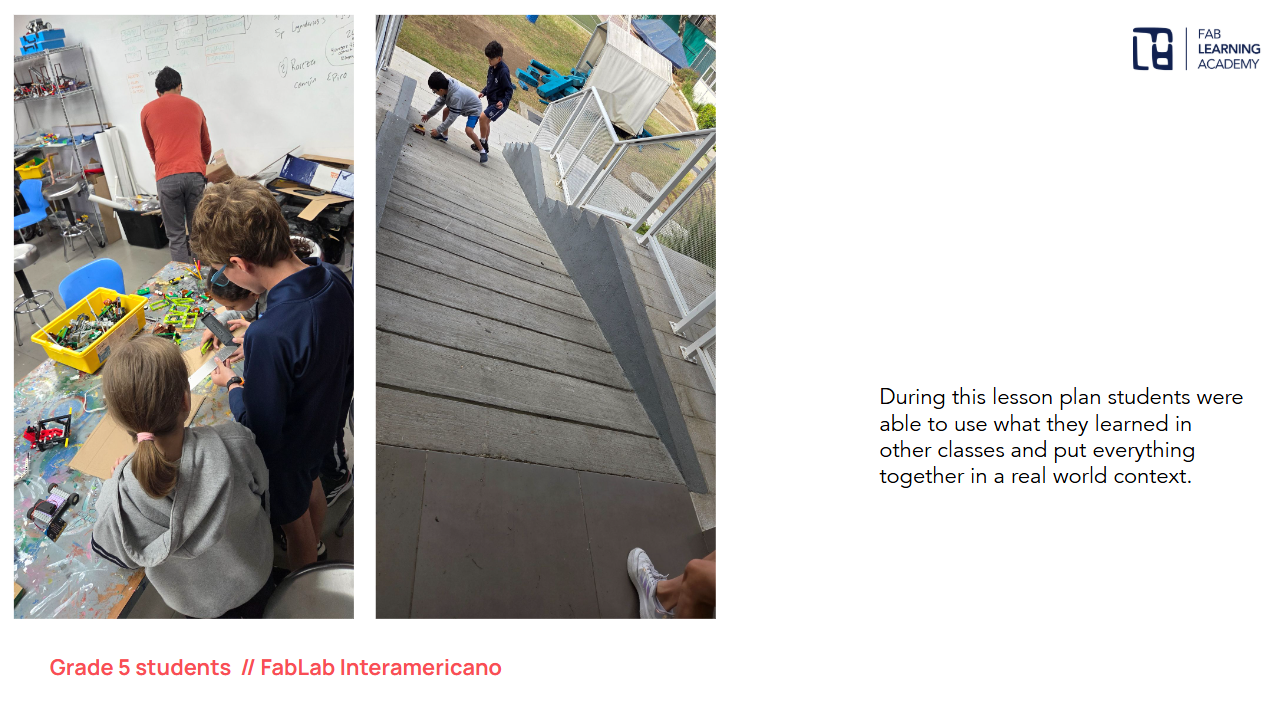
- After getting the general idea of what we wanted to do, students started working on the creation of their cars. They were mostly excited about using the Legos so we had to give an extra instruction of “use more than one item found in the FabLab”. At first, we thought this would make them feel frustrated but they actually got more inspired and creative.
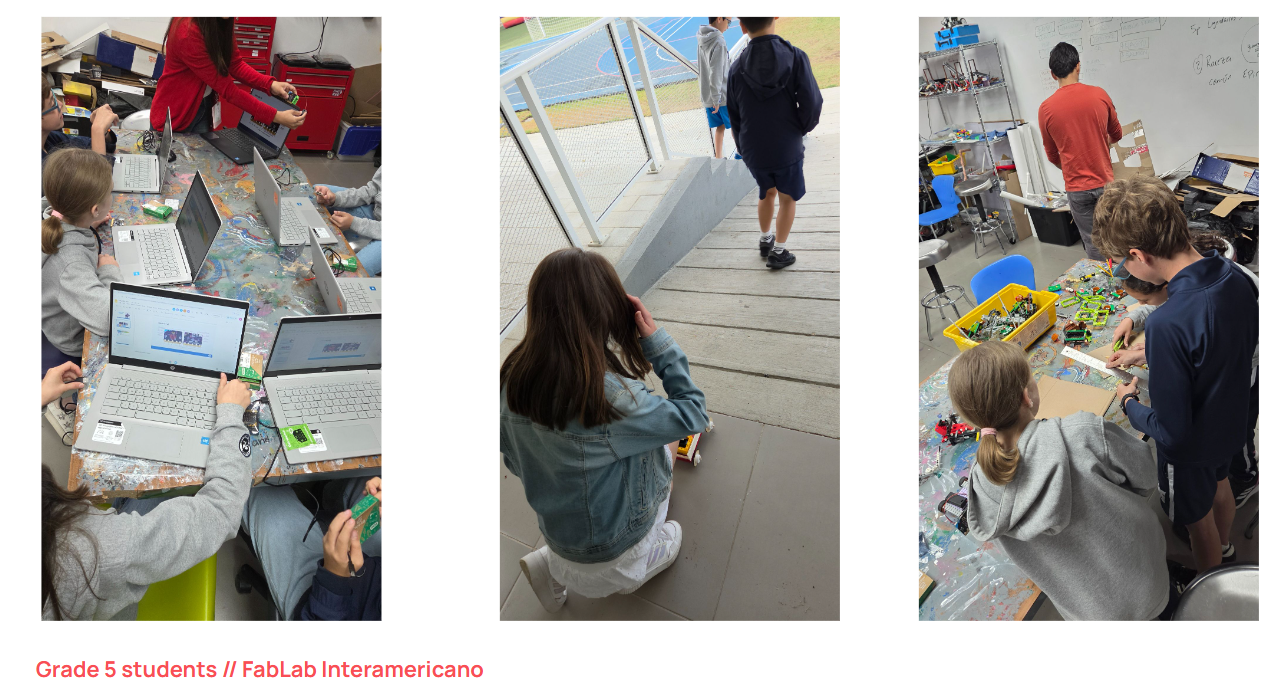
- During the next day, they started learning about the MicroBit and how to program it. They had worked with block coding before so they had a general idea of what they were doing. They got very excited about adding faces and sounds to the MicroBit, they even started creating their own music.
- The last day with them, they had to create the code to measure how steep the ramps were according to the acceleration that the MicroBit would register. The studetns were not very advanced in that knowledge so we gave them the code they needed to set and they copied and edited according to what they liked.
-
Photos / screenshots of key stages
-
Challenges and solutions One of the most important challenges I faced for this field activity was finding the time to work with a collegue. Our schedules at school tend to be very tight (I believe all schools have this) so it was difficult to first, find a time to talk with a collegue and then find the time to plan and find solutions togehter. But being able to overcome this obstacle was the thing that made it the most rewarding. It was not easy, but seeing how much the students learned and enjoyed that learning was worth it.
Reflection
- Collaboration: Reflect on how you worked with colleagues or FLA participants during the Field Activity. At what stages of development and testing did the collaborator contribute? Please be detailed in your description. How did your collaborator’s perspective change the way you developed the lesson?
- As mentioned before, collaborating with different teachers was one of the challenges of this activity. Different people have different schedules and different points of view, this makes things difficult to organize and it requires a lot of patience and open mindness to understand what the other person is trying to say and do. Working with Pamela was a little easier because she had similar ideas and needs as me. We both needed an activity that could fit our fablab expectations, but since I work with only Elementary students and she works with all grades, we had different ideas of what the kids could do. I tried doing things that were more under my control, and she wanted to let them have more freedom. It was great to both learn from each other about what things that they can do and how far we can let them go and still be on task.
- Instructional Challenges: What challenges did you encounter while teaching this lesson? How did you address or plan to address them? How are diverse learners’ needs being met in the lesson plan facilitation?
- During this lesson one of the instructional challenges was teaching students how to use the MicroBit. We only had 45 minutes for them to explore the program of the MicroBit, and eventhough they had previous experience with block coding, they are still 10 year old kids who need a little more guidance in what things they can do while coding. This took us more time than we had planned so we needed to be flexible during the lesson. We had a student who doesn’t speak Spanish and the platform was in Spanish, so we worked with him to get it in English or Korean which were languages he was more comfortable with. These were things that we hadn’t planned but we know since the beginning that we needed to be flexible and learn with them as we were teaching.
- Integrating Disciplines: Where does your lesson plan fall on the continuum and why? How might you move the lesson plan along the continuum to the next level? Multidisciplinary Interdisciplinary Transdisciplinary
- I believe our project was multidisciplinary because the students had learned different topics during their own classes before, and in the FabLab we showed them how they could work together. I believe that if we have more time to organize and plan the different activities and problems we can solve, we would be able to more to the next level of integration of disciplines.
- AI Usage: If you used AI, describe how it was used and in which steps of the Field Activity.
-
In our lesson plan, we used AI in the areas in which we are still a little weak, which is coding. We weren’t very sure about how the code that the students would be using would look, so we asked Gemini to give us the Java version of the MicroBit code and we shoed them how the block should look. Due to the limit of time, we showed them how to copy the code and paste it on the MicroBit program and then how to personalize it.
-
Reflect on the course in general: How has your teaching changed as a result of this course?
- Thanks to this course I feel like I am more brave in my classes. The FabLab was a place that felt intimidating for me because of all the things that I didn’t know how to use or that could probably be dangerous for the kids. But I have learned that, if the students have clear instructions and a real task, they are so focused on what they need to do that they tend to be less disruptive. I also learned that all the things that are in the FabLab, just like the students are learning from it, so are we as teachers. That’s the magic of this place. What are some concepts that you would like to learn more about?
- I would love to learn more about Coding and Biomaterials. I believe these two topics were the most difficult for me because they were the ones I knew about the least. I had never heard about biomaterials before the course, and being able to learn about it, seeing all the things that could be possible and actually creating one was very inspiring to do so much more. How can you support other teachers in your practice to use digital fabrication with their students?
- I believe that showing my experience in the FabLab and how I went from not really knowing everything about this place but still being able to guide the kids into creating new things is the base of the FabLab. Understanding that this place is full of wonder and mystery and learning happens just by exploring, creaing, messing things up and trying again,
Tools
- Tools or software used -Lego
- MicroBit
- Wood
- Chromebooks
- References or tutorials followed
- https://youtu.be/7WMCgUIcKnk?si=sod_01sMpu9wCnbs
- Tutorials from the MicroBit website https://makecode.microbit.org/